On this page
The premise: nobody can build “save on copy” on iOS
This is the first wall you hit when building a clipboard history app for iOS. There is no API for clipboard change events, no resident background execution, and no such trigger in Shortcuts. Apple closed all of it deliberately to protect sensitive data. The Mac experience of Clipy, where everything you copy piles up by itself, is impossible on iOS in principle.
There are other givens. Since iOS 16, reading the clipboard shows a “paste permission” banner, which goes away if the user sets the app to “Allow” in Settings. UIPasteboard.detectPatterns and hasStrings can tell the type of the content without reading it, so “looks like you copied a URL” is possible without a banner. And the Dynamic Island, keyboards and share extensions are all Swift App Extensions; React Native cannot write them.
Every competitor lives under the same constraints. The contest is about how little friction each way of capturing has.
Ways to capture
| Capture point | How it works |
|---|---|
| Open the app | Read on return to the foreground; skip if identical to the last clip |
| Select → Share → “Save & copy” | A UI-less Action Extension. It saves the selected text to the history and also writes it to UIPasteboard.general. Writing needs no permission, so one action both saves and copies |
| Back tap | An App Intent, “Save clip”, that the user assigns to Back Tap under Accessibility |
| Keyboard | A Keyboard Extension that inserts history and snippets. The app writes a snapshot and the keyboard only reads it, so Full Access is never requested |
| Dynamic Island | A Live Activity that shows a count and type tags, never the content |
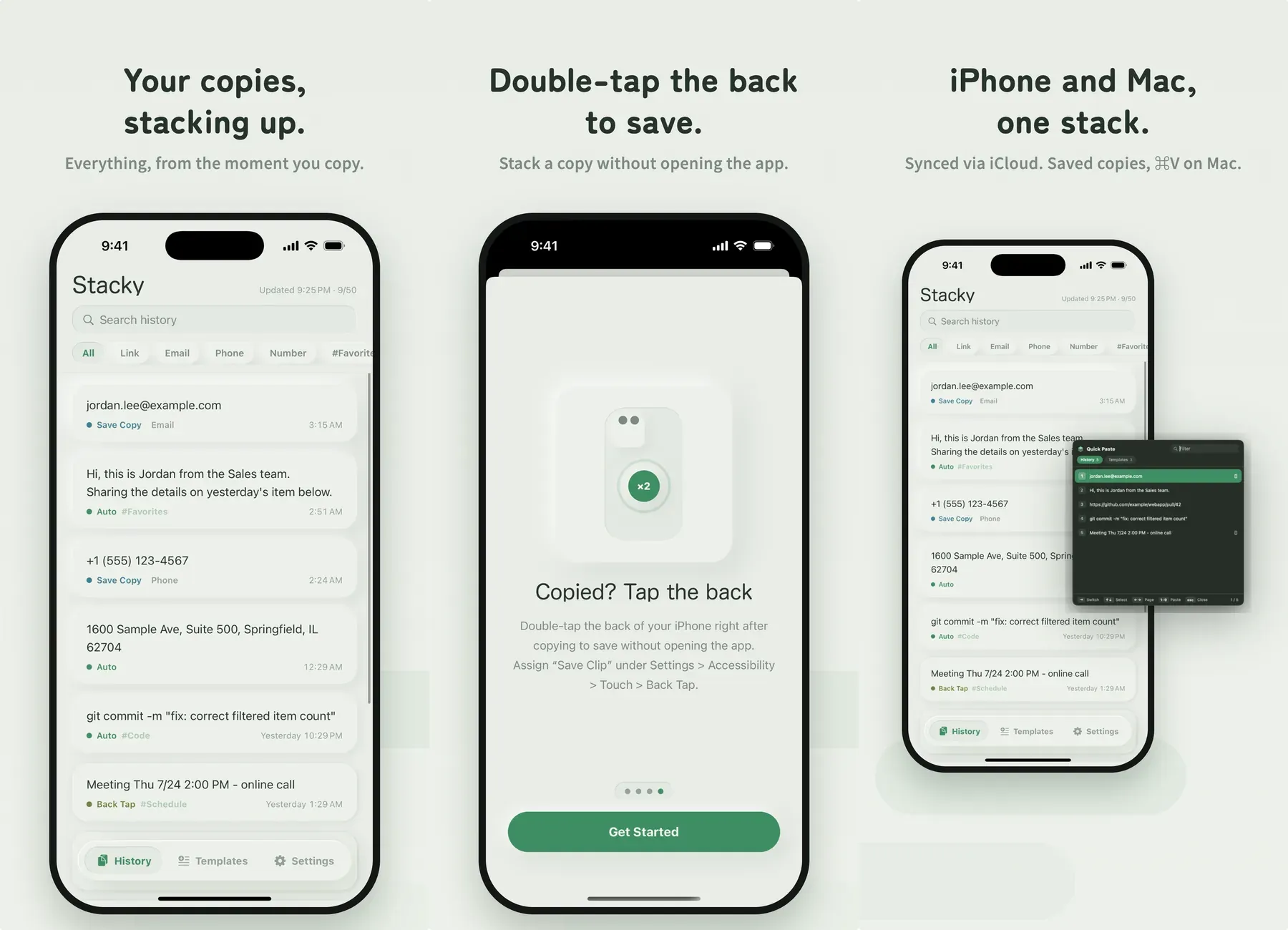
Keeping clip contents out of the Dynamic Island is deliberate. Copied text visible on the lock screen makes no sense for an app whose selling point is privacy.
The app in Expo, the extensions in Swift
The main app (history, snippets, settings, billing) is Expo with expo-router, and @bacons/apple-targets adds the widget, action and keyboard targets in Swift. The JS layer ships over the air with EAS Update; only changes to Swift go through a native build and review.
Data is shared between the app and the extensions through App Groups, but touching a SQLite database in the App Group container from an extension has a known failure: the extension gets suspended holding the lock and dies with 0xdead10cc. So the database stays in the app’s container, and the extensions talk to it only through an “inbox” (JSON / plist) and UserDefaults in the App Group. Save & copy appends to the inbox; the app drains it on launch, on return to the foreground and on pull to refresh.
The Mac companion
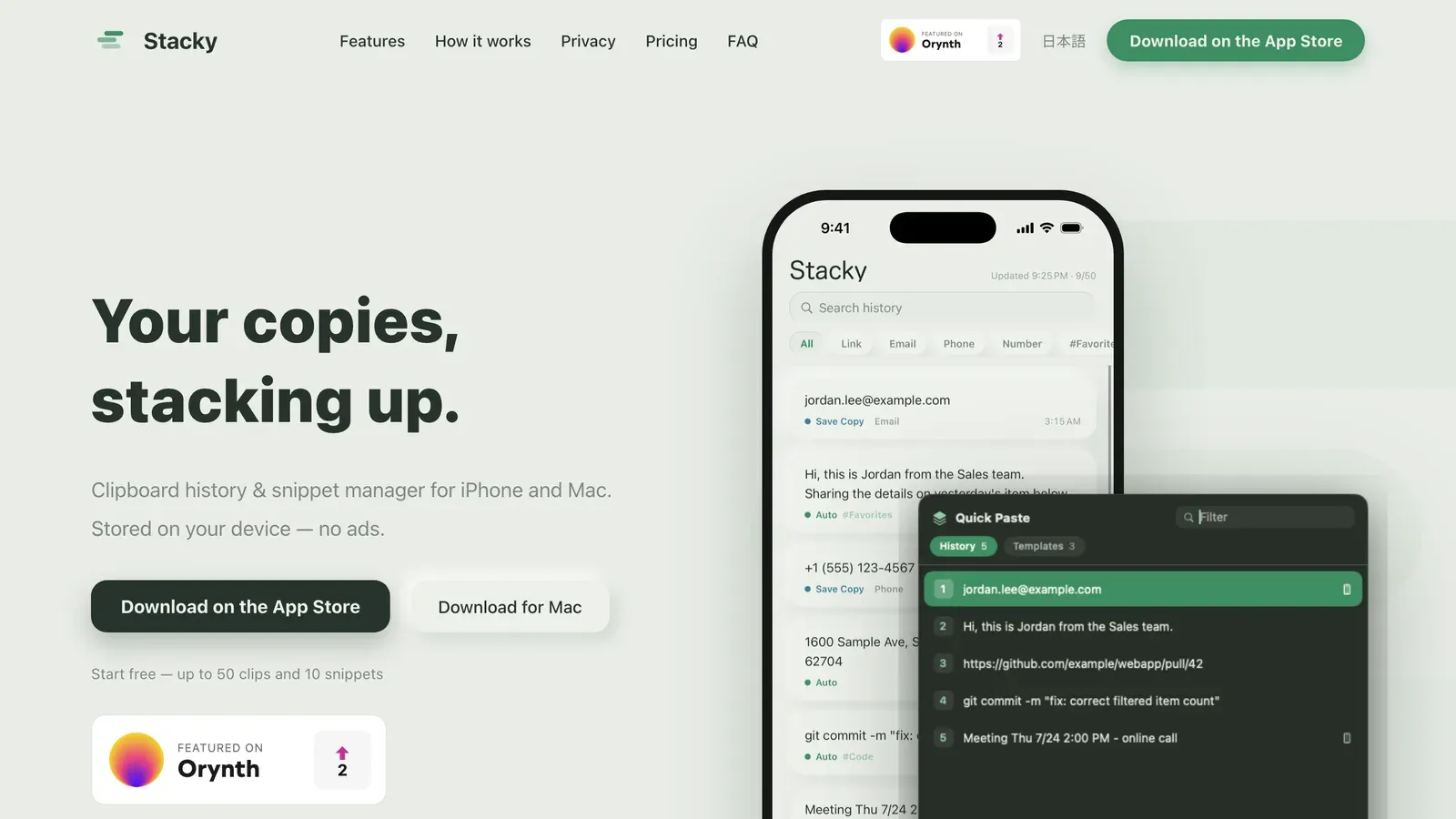
On macOS, resident monitoring and automatic writing are both legitimate. The Mac app is native Swift on AppKit: it sits in the menu bar, captures every copy automatically, and ⇧⌘V opens a quick-paste panel where history and snippets paste by number. What you save & copy on the iPhone arrives on the Mac through iCloud, ready for ⌘V when you sit down.
Quick paste sends ⌘V through CGEvent, which requires turning the App Sandbox off, so the Mac App Store is out. It ships notarized under a Developer ID instead. The Mac app has no billing of its own: the iOS app writes the Pro state as one record in the CloudKit private database, and the Mac reads it to gate sync and the automatic ⌘V. One Pro covers every device, still with no account.
Where sync went wrong
Sync is CloudKit, with no server of mine. Two design holes showed up.
Deleted clips came back. The first sync took the union of local and iCloud and pushed whatever was only local as new. Delete a clip on the iPhone and it disappears from iCloud, but the Mac still has it locally, pushes it as new, and it reappears on the iPhone. No device could tell “they deleted it” from “I added it”. The fix is for each device to remember, at the end of a sync, what iCloud held (ids and savedAt only) as a base. Anything that is in the base, missing from iCloud now, and unchanged locally was deleted elsewhere; the device fetches it by id, and if it really is gone, drops it instead of re-pushing. Local deletions still travel as tombstones.
The 400-record wall. A CloudKit modify operation accepts at most 400 records and rejects the whole call beyond that. Clear-all and the first sync of a device with a long history failed every time. Saves now go in batches of 100 and deletes in 400, halving on rejection.
Further guards went in: fetching by id before dropping, since list queries can lag behind recent changes, and discarding the base on an account switch. Thirty cases were checked with a Swift script that never touches CloudKit before the release shipped.
Billing and privacy
The line is “capturing is free; accumulation and crossing devices are paid”. Every capture point, 50 clips and 10 snippets are free; unlimited history, full-text search, custom variables, iCloud sync and the Mac link are Pro. A one-time purchase sits beside the subscription. There are no ads. A clipboard is a pile of sensitive data, and putting an ad SDK next to it would break the trust the app is built on. Contents live only on the device and in your own iCloud; nothing is sent to any server.
For iPhone and Mac. stacky.tools
RELATED
Flutter, AWS, homelab. A few side projects and open-source tools. For architecture questions or collaboration, reach out via X DM or the About page. About